Desertcart purchases this item on your behalf and handles shipping, customs, and support to JORDAN.
🚀 Elevate your office game with speed, style, and sustainability!
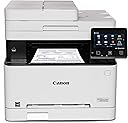
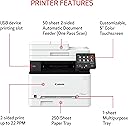
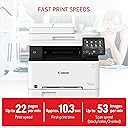
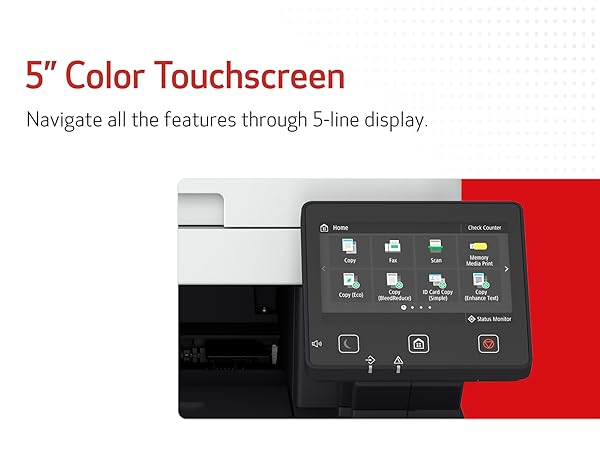
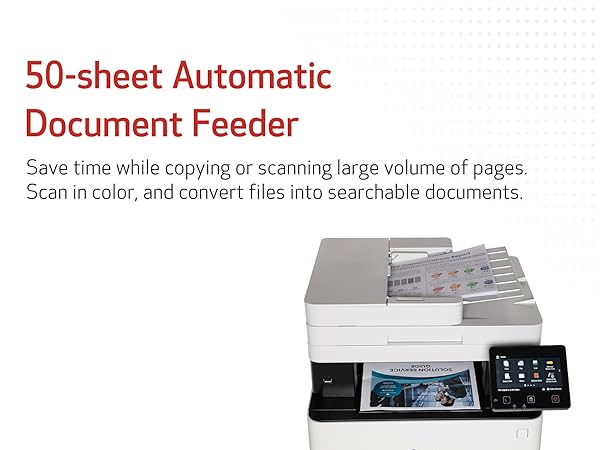
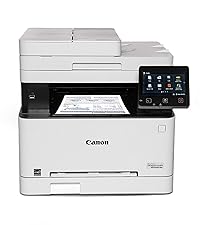
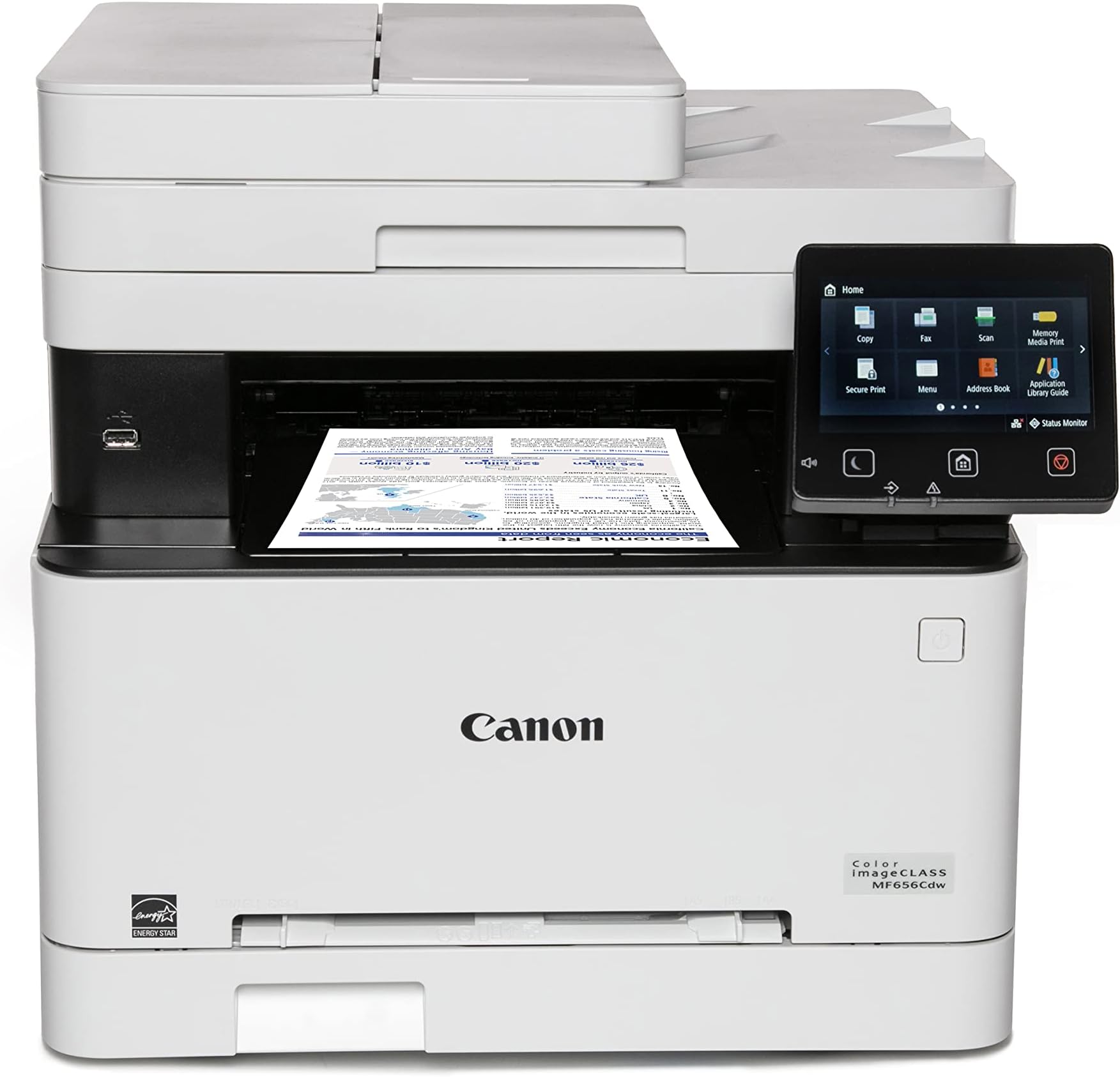
The Canon imageCLASS MF656Cdw is a wireless, all-in-one color laser printer designed for small to medium businesses. It delivers fast 22 ppm printing in both color and black & white, supports duplex printing and scanning, and offers versatile media handling with a 250-sheet capacity. Featuring mobile device compatibility, a 5" touchscreen, and eco-friendly ENERGY STAR and EPEAT Silver certifications, it combines efficiency with professional-grade output backed by a 3-year limited warranty.


| ASIN | B0BSMZVH26 |
| Additional Printer Functions | Copy, Fax, Scan |
| B&W Pages per Minute | 22 pages_per_minute |
| Best Sellers Rank | #85,410 in Office Products ( See Top 100 in Office Products ) #75 in Laser Computer Printers |
| Brand | Canon |
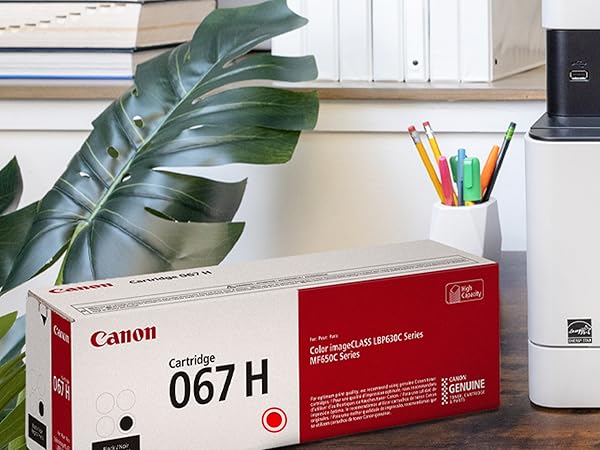
| Built-In Media | Cartridge 067 CMY: Starter 680 Yield / Black, Standard: 1,350 Yield, Documentation, Fax Cord, MF656Cdw Product, Power Cord |
| Color | White |
| Color Depth | 24 bpp |
| Color Pages per Minute | 22 pages_per_minute |
| Compatible Cartridge | 067 |
| Compatible Devices | Super G3 |
| Connectivity Technology | Wi-Fi 802.11b/g/n, Wi-Fi Direct Connection |
| Control Method | Touch |
| Controller Type | Android |
| Customer Reviews | 4.1 out of 5 stars 1,341 Reviews |
| Display Type | LCD |
| Duplex | Automatic |
| EU Spare Part Availability Duration | 3 years |
| Global Trade Identification Number | 00013803342000 |
| Hardware Interface | Ethernet |
| Initial Page Print Time | 10.3 seconds |
| Ink Color | Color |
| Item Dimensions D x W x H | 18.2"D x 17.8"W x 16.3"H |
| Item Type Name | Color Laser Printer |
| Item Weight | 48.5 pounds |
| Manufacturer | Canon |
| Maximum Copies Per Run | 999 |
| Maximum Copy Resolution Black and White | 1200 x 1200 dpi |
| Maximum Copy Resolution Color | 1200 x 1200 dpi |
| Maximum Copy Speed Black and White | 22 pages_per_minute |
| Maximum Media Size | 8.5 x 14 inch |
| Maximum Print Resolution Black and White | 1200 x 1200 dpi |
| Maximum Sheet Capacity | 250 |
| Maximum print Resolution Color | 1200 x 1200 dpi dots_per_inch |
| Model Name | MF656Cdw (New Model) |
| Model Number | 5158C002 |
| Model Series | 656 |
| Number of Ethernet Ports | 1 |
| Number of Trays | 3 |
| Other Special Features of the Product | Auto Document Feeder, Auto-Duplex, Display Screen, Double Sided Scanning, ENERGY STAR® Certified, EPEAT Silver, Network-Ready, Touch Screen |
| Output sheet capacity | 250 |
| Paper Size | 3 x 5, 8.5 x 14 |
| Print media | Paper (plain) |
| Printer Connectivity Type | Wi-Fi 802.11b/g/n, Wi-Fi Direct Connection |
| Printer Output Type | Color |
| Printer Type | Laser |
| Printing Technology | Laser |
| Processor Count | 1 |
| Resolution | 1200 x 1200 |
| Scanner Type | Sheetfed |
| Series Number | 515 |
| Special Feature | Auto Document Feeder, Auto-Duplex, Display Screen, Double Sided Scanning, ENERGY STAR® Certified, EPEAT Silver, Network-Ready, Touch Screen Special Feature Auto Document Feeder, Auto-Duplex, Display Screen, Double Sided Scanning, ENERGY STAR® Certified, EPEAT Silver, Network-Ready, Touch Screen See more |
| Specific Uses For Product | Office |
| Total USB 2.0 Ports | 1 |
| Total Usb Ports | 1 |
| UPC | 013803342000 |
| Unit Count | 1 Count |
| Warranty Description | 3 year |
| Warranty Type | Limited |
| Wattage | 570 watts |
D**L
GOOD BY FOR A GREAT PRICE.
I had a Cannon MF644cdw for a few years and it worked great. This one is just the newer version. My mf644cdw started putting black streaks on the prints and then just started running the paper through without no printing at all. Toner was good and new just no printing. Then started making a funny noise. While looking up trouble shooting tips online i came across this newer version. Well being a Tech junkie and my wife not so much, Ummmm, well the old printer became unrepairable and honey we need a new printer. Print quality has been great on both the 644 and 656 but I will have to say a bit better on this 656. time from sleep to print has greatly improved as well. I will also say that this printer has the cheapest toner cartridges to replace of most all color laser printers. I work from home so it does get alot of use. Document feeder work great and to tell the truth I dont remember ever having a paper jam from either printer on the feeder or printer. Cant say much about the fax feature as I have never used it on either printer. Setup is very easy right out of the box. Just plugged it in went through a few setup questions on the display and bam it was hooked to my wifi and up and running as network printer. Scan to email can be a bit tedious to set up but I got the below instructions from another reviewer and worked perfectly. So Hopefully this will help someone (wish I would have found earlier). This type of information should have been in the manual in some way. I found this in the Canon community discussion. Note that this setup is configured for using a gmail email address to configure- so you need a gmail for this to work correctly (otherwise a few steps will need changed like the SMTP server and port number...) 1- If you are using GMail, you have to setup an 'App Password' for your Canon to work. 2- Go to Google.com and click on your picture (upper right hand corner) and select 'Manage Your Google Account'. 3- Click on 'Security on the left hand side'. 4- Scroll down to section that says 'Signing in to Google'. 5- Make sure '2-Step Verification' is setup. If it is not, add 2-step verification now. 6- Click on 'App Passwords' to setup a password for your Canon. You may have to sign into your Google account again. 7- Under the 'Select App' down arrow, select 'Other (custom)' 8- Enter a name for your Cannon. I put my model number in the field: MF644Cdw 9- Select the 'Generate' button. This will generate a password. Copy/Paste this password or write it down. 10- Find your Cannon's IP Address. I selected 'Status Monitor' on my Cannon; then selected 'Network Information'; then selected 'IPv4'; take down the numbers listed under 'IP Address'. 11- Open up Chrome and enter the IP Address from step 10. 12- Select 'System Manager Mode' option and select 'Log In'. If you have setup a 'System Manager ID' and 'System Manager PIN', enter that information and then select 'Log In'. 13- Select 'Settings/Registration' button on the right hand side. 14- Select 'TX Settings' on the left hand side. 15- Select 'E-mail/I-Fax Settings'. 16- Select 'Edit' button on the upper right hand side. 17- SMTP server = smtp.gmail.com 18- Email Address = [enter your email address] 19- Check mark 'Use SMTP Authentication (SMTP AUTH)' 20- User Name = [enter your email address] 21- Check mark 'Set/Change Password' 22- Password = [enter the password generated from step 9 above] 23- Check mark 'Use TLS for SMTP' 24- Check mark 'Verify Certificate' 25- Check mark 'Add CN to Verification Items' 26- Check mark 'Use TLS for POP' 27- Check mark 'Verify Certificate' 28- Check mark 'Add CN to Verification Items' 29- Scroll up to the top of the page and select the 'OK' button to save these settings. 30- Select 'Network Settings' on left hand side. 31- Select 'Port Number Settings' 32- Select 'Edit' button in upper right hand side. 33- Change 'SMTP' field to = 465 34- Scroll up to the top of the page and select the 'OK' button to save these settings. 35- Select 'To Portal' link in the upper right hand corner. 36- Select 'Address Book' button on right hand side. 37- Click on '01' link and select 'Edit' button. Add your email as the first email address. (Later go back and add what other email addresses you may like to scan to in the future) 38- Scroll up to the top of the page and select the 'OK' button to save these settings. 39- Go to your Cannon and test the Scan to Email function. 40- Check email to see if you received the email. If you didn't get email, check 'Status Monitor/Cancel' button under the 'TX Job Log' section for Error Code specifics.
S**E
Canon imageCLASS MF656Cdw - Wireless Duplex Color Laser Printer
I was tired of the outrageous cost of printer ink, so I decided to switch to a color laser printer. This Canon Color Laser Printer was not much more expensive than the top-line color inkjet printer I was considering. That fact made it an easy decision to purchase this Canon printer. The printer works very well, and the 'all-in-one' features are great. I must say that setup was a challenge. The instructions are hard to follow for anything beyond the basic setup. I have used HP printers for years, and their setup instructions are very straightforward. Canon has a great product, but they could take setup tips from some of their competitors.
_**_
Reliable laser
After years of using ink jets and my last one just stopped working, I decided to try a laser printer. This canon was one of several I had been watching, and was the first to go on sale. I miss being able to print photos at home, but otherwise everything else is an upgrade. The toners are very expensive, but I've been using them for a while after they say they've run out, so I wish they had more accurate ways to tell when they're out. When printing from a Windows 10 computer, it refused to apply any of the print settings. Double sided grayscale, more than one copy, nope. I had to connect to the Web portal settings and change the settings any time we used it, but it worked fine from our Windows 11 computers and Android phones. So you might have some compatibility problems if you still run Windows 10. I got this printer in February of 2024 and use it regularly but in low amounts. I'm halfway through the second black toner and the CM and Y all claim to be out but they are still producing decent looking prints. I have the replacements ready to go, just haven't dropped them in yet. I'm going to use only Canon replacements because I think faulty generic inks messed up an old printer of mine. The web interface is very clunky, but it gets the job done The document feeder will scan 2 sided documents, which is rare in home laser printers. It usually looks a little crooked, but it's still better than having to scan each page manually. I still can't get my scans emailed, I think all the open mail servers have just been closed in the last few years. I tried a couple times and now just scan directly to my phone or computer with their software. It works, so I haven't checked to see if there's cloud drive available in any software updates. For a first laser, I've enjoyed using this canon. I could see just going with a black and white printer only laser if I already had a color ink printer, but this takes care of almost everything, just no photo printing, with one less device.
F**C
Canon Color imageCLASS MF656Cdw. Bought TWO for my business. Both failed the same way.
Only thing it can reliably do is cause hypertension for the user. I made the mistake of trusting Canon and bought two of these printers for my business. That decision cost me time, productivity, and money. Both units exhibit the same fundamental failures, which tells me this is not a defective unit problem - it is a defective product line. Yes, print quality is acceptable when it actually prints, but everything related to networking and AirPrint is broken. • Printers randomly disappear from the network • Extremely unreliable Wi-Fi connectivity • Painful, inconsistent setup on Mac and Windows • Gaslights you into thinking you need unnecessary Canon software that still does not work • Goes to sleep and stops responding • AirPrint is advertised but does not reliably function At times, the only way to print reliably has been to download a file to a USB jump drive, physically insert it into the printer, and print directly from the device using the cumbersome, poorly responsive, unintuitive touchscreen. That is not an acceptable workaround in 2025 for a network printer marketed to businesses. And if you are thinking, “this guy just can’t manage IT stuff,” I caution you to think twice. Sometimes it will: • Print from one computer but not another • Print once and then never again • Print today after multiple retries and troubleshooting steps, then refuse to print tomorrow Nothing changes on the network. Nothing changes on the printer. It simply decides to stop working. I am not a casual home user. I spent hours troubleshooting: • Firmware updates • Factory resets • Router reboots • DHCP reservations and static IPs • Separate Wi-Fi bands • Driver reinstalls None of this fixes the core issue. Canon’s Bonjour/mDNS and network discovery implementation is fundamentally unreliable. This printer will gaslight you again and again, making you think you fixed it - until it fails the next time you need it. The fact that both printers behave identically confirms this is a design failure, not bad luck. Canon used to be a brand I trusted. This printer is not worthy of that reputation. If you value your time, sanity, or business productivity: do not buy this printer. I am replacing both with Brother laser printers and will not purchase Canon printers again. Avoid.
J**3
Overall a decent printer with a few set backs
I guess always go with Canon. I bought a similar style HP printer that arrived with broken gears and wouldn't even scan a page. After much skepticism, I ordered this Canon printer after I returned the first. The packaging is much easier to handle and the box comes apart easily so you don't have to mess with the printer much to get it out. Set up was a little cumbersome and the printer glitched when it tried to do the color calibration. I wish there was a way to go back and try that again, but I have not been able to figure it out. It took a few tries to connect it to Wifi, but once it did, all my devices were able to detect it and connect to it with no problem. The print quality is crisp and clear, but some colors seem a little desaturated, I am not sure if that's because it wasn't able to color calibrate. It's not a huge deal and it's still pretty good for a home printer. People mention that when the printer is asleep, they have to manually start it back up before it can print a job, but I did not find this to be the case. I can print from my phone and the printer will wake up and print the document. I gave this printer 4 stars because of the glitchy start up, it's a little noisy, and takes a while sometimes to wake up to print the documents. But all in all, I am very pleased with this addition to my home office and hope it continues to work well for me.
J**K
Has everything except one item.
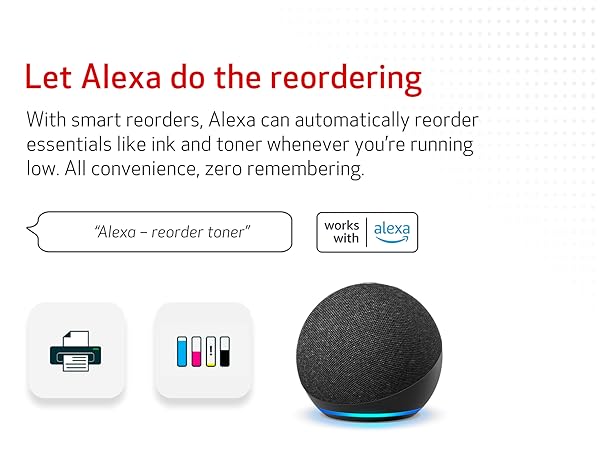
I purchased this after deciding I wanted color. The printer is large and heavy it is very similar to some I've seen in small offices. It does everything that you would expect a printer to do and it does it well. The only thing I wished I had noticed is that it does not support Alexa. I used Alexa with my other printer extensively it was much easier to verbally dictate to Alexa my shopping list and then have Alexa print it. I miss that, if I had noticed that Alexa was not supported I probably would have moved on to another printer. Hopefully someday this printer will be compatible with Alexa. UPDATE: I've had this printer for 13 months and I've just changed the original black cartridge. I've been able to find a work around regarding the Alexa non compatability. I did have one problem. After printing from my tablet I'd get a print error message. and It wouldn't print again unless the printer was cycled on and off. After doing a few minutes of research I found the problem, I had set it to the wrong paper drawer. It's never lost the wireless connection unless caused by a power outage which happened twice. It reconnected within 30 seconds of when the power came on. I've created menus for several restaurants and diners and several other projects that required copying. I've had no problems. Colors from the printer are pretty accurate. Over all I'm extremely satisfied with the purchase and I highly recommend it.
J**E
What a terrific printer and an awesome upgrade from a color inkjet, great value!
My 3- year-old Epson inkjet was getting long in the tooth. I always wanted a color laser and when I saw this printer on sale for an affordable price around $300, I grabbed it. I am glad I did! The print quality is awesome. Everything is so sharp, and the colors are vivid. It has all of the features you'd want in a quality multi-function printer: auto document feeder, double-sided printing and scanning, fax (if you need it), and easy to use thanks to its pretty touchscreen. The Canon scanning application on Windows is so customizable, I absolutely love it since I tend to scan a lot. You can pre-define where to save your files and in what format for some common presets. Like color photos can go into one folder in JPG format with high quality compression if you want, and black and white documents can go in another folder in PDF format in medium compression. You can even define what to do when the scanning options are selected from the printer itself. It scans beautifully, prints in high quality and quickly too, and I couldn't be happier with this purchase!
M**.
Good purchase
We are liking this printer a lot. We needed to replace our old Canon B/W laser printer that lasted 12 years, until one of the hinges on the top platen cover broke. 12 years seemed pretty good to me, so I looked only for Canon printers, and we decided to go with color this time. We chose the MF656 over the MF652 because of the auto document feeder. It arrived one day before the promised delivery date. Packaging was excellent, and the instructions for unpacking were easy to follow and fast to execute. It is heavy, I would guess over 40 pounds in its package and maybe 30 pounds unpackaged. While heavier than our old Canon laser, it fit in the same footprint. Plugged it in, turned it on, and it went into an (I guess) initialization mode, whereby the motor was running inside for maybe 4 or five minutes. In the meantime I followed the instructions on the LCD display screen, and by the time the initialization was done, the printer was set up and working. During setup it does ask for an administrator name and password, but I entered no login name and just a 4 digit pin of my choosing and that satisfied it. From opening the box to working printer -- maybe 10 minutes. I use Windows and I would recommend going to the Canon USA website, support area, and look for Scan Utilities to download. It allows for easy scanning and will enable monitoring toner levels and such. I believe there are apps you can get through your phone or tablet for printing from them and monitoring the printer as well. I would recommend this printer or the MF652 (if you do not need the document feeder).
E**O
Lo rápida que es
Excelente. Solo que para imprimir tamaño oficio hay que realizarlo hoja por hoja, pues no tiene bandeja para ese tamaño.
J**F
excellent produit
très simple à installer et fonctionne très bien. Un peu bruyant sans plus.
F**.
Magnifica impresora.
Magnífica impresora a un precio muy razonable. Primero la conecté usando WIFI y funcionó de maravilla, la cambié a ethernet y también de maravilla. El escaner también funciona muy bien.
G**O
It works great
Works great
M**A
pesimo
PESIMA IMPRESORA, se agotan cartuchos cada semana y no reconoce los tamaños del papel que se carga
Trustpilot
1 week ago
4 days ago