


⚡ Store Fast, Live Free — Never Miss a Beat with SanDisk Ultra!
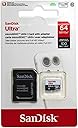
The SanDisk Ultra microSDXC card delivers up to 80MB/s transfer speeds with rugged waterproof, shockproof, X-ray, and temperature-proof construction. Designed primarily for Android smartphones and tablets, it offers reliable, high-speed storage for photos, videos, apps, and documents. Compatible with a wide range of devices including cameras and mini PCs, this Class 10 card ensures your data stays safe and accessible wherever you go.
| ASIN | B010Q588D4 |
| Best Sellers Rank | 67,134 in Computers & Accessories ( See Top 100 in Computers & Accessories ) 404 in Micro SD Memory Cards |
| Brand | SANDISK |
| Brand Name | SANDISK |
| Colour | Red/Silver |
| Compatible Devices | Android smartphone, Android tablet |
| Compatible devices | Android smartphone, Android tablet |
| Customer Reviews | 4.6 out of 5 stars 120,066 Reviews |
| EU Spare Part Availability Duration | 10 Years |
| Flash Memory Type | Micro SDXC |
| Flash memory type | Micro SDXC |
| Hardware Connectivity | microSDXC |
| Item Weight | 0.01 Pounds |
| Manufacturer | SanDisk |
| Manufacturer Part Number | SDSQUNC-064G-GN6MA |
| Media Speed | Up to 50 MB/s, Up to 60 MB/s, Up to 70 MB/s |
| Memory Storage Capacity | 64 GB |
| Memory storage capacity | 64 GB |
| Model Name | SDSQUNC-064G-GN6MA |
| Model Number | SDSQUNC-064G-GN6MA |
| Model name | SDSQUNC-064G-GN6MA |
| Number of Items | 1 |
| Number of Packs | 1 |
| Product Features | SDXC |
| Read Speed | 80 |
| Secure Digital Association Speed Class | Class 10 |
| UPC | 619659134846 |
| Unit Count | 1.0 count |
| Warranty Type | Limited |
T**R
Perfect Storage solution for Cameras, Android Phones and Tablets
I'm an IT Professional and I've stored my music, ebooks, pictures and documents in the cloud (like Dropbox, GDrive, One Drive) and It's about 70GB altogether. Cloud-based solutions are great but annoying when you're on the move and can't access a file because of network connectivity issues. Having a copy on an SD card for instant access of all my essential items seemed the logical choice. I've used SanDisk in the past without any issues and they know the criteria for any SD card should be: A) Big enough for your current storage needs and has additional space for expansion as your data grows. B) Fast. A slow SD card will just lead to eventual frustration with unreliable transferring and lag when accessing your files. C) A quality company, if you are spending money on a card, you want to know it's reliable, robust and keeps your data safe. SanDisk doesn't manufacture TV's or PC's. Its core business model is memory. If you want the best that money can buy, stick with the experts. This Sandisk Card, in my opinion, gets tops marks for fulfilling all of these requirements. 6 Important Tips and Hints: 1) Formatting. It comes formatted in exFAT. Do NOT reformat it. Leave it as it is. I know NTFS is supposed to be faster and allows bigger file sizes, I tried to format mine to NTFS and my new android phone didn't recognise it. I put it back into my PC to reformat it again and bizarrely it wouldn't allow me to. ( perhaps some weird driver issue on my machine) Luckily I have another brand new PC that it did allow me to reformat back to exFAT. Just a heads up to avoid unnecessary drama. 2) Creating a Copy Of Your Cloud Files for Offline Use. I was unable to specify where Gdrive, Dropbox and One Drive are stored on my (not rooted) phone. I wanted it to point to my SD card so I could store everything in one place using the files and folders structures I created. None of the Cloud Solutions I use would allow this. As a viable workaround, I've created a manual copy of my Cloud Storage in the SD Card and perform a manual sync every couple of months to ensure I have an up-to-date copy of my cloud items. I suspect the issue is not going to be made any easier as these companies want to lock you into their cloud plans and be your one stop shop solution for the storage of your data. 3) Difference between the advertised size and the usable space on the SDcard In the background an algorithm runs on the card to ensure that wear and tear on the card is evenly spread out to make your card last longer. If an error occurs resulting in a bad sector on the card it swaps out space it's saved for itself and gives it back to you. Both these events occur to ensure that your card remains stable, lasts longer and keeps your data safe, In order for these actions occur the card needs to keep some space on the card for itself in order for this to happen. 4) Packaging. If you go for the standard packaging instead of frustration-free ( I always do to check it's legitimate and not a cheap knockoff) make sure you have a pair of scissors or a knife on hand to get the card out. This may seem obvious, but you run the risk of breaking the sd card if you can't wait to try out your card and twist the packaging with your hands to get the card out. 5) Transferring Files from Your PC using the Micro SD Adaptor or FTP. To Transfer files from your computer to your tablet or phone you can use the Micro SD adaptor supplied free with the card. In this instance, you must have a MicroSD adaptor slot on your PC or have a USB Micro SD adaptor attached. Alternatively, you can purchase a WIFI / FTP app from the Google Play store to transfer files via WIFI. 6) Using this MicroSD card for use on ANY compatible device. Although this MicroSD card (also known as a TF card) is called "Ultra Android" You can use this SD card in Cameras and Mini computers such as the Raspberry Pi and Arduino as well as ANY ANDROID based PHONE or TABLET that has a Micro SD expansion slot. I suspect SanDisk added "Android" in the heading because the most popular usage is for Android Phones and Tablets. Just check on the side of your phone or tablet for a MicroSD Slot. If you're unsure, double check on your product manufacturers website.
G**E
Fast, durable, and Android-ready—SanDisk Ultra 128GB nails everyday storage with ease.
This Class 10 UHS-I microSDXC card is built for Android smartphones, tablets, and cameras, offering solid performance for everyday use. It’s a great pick for storing Full HD videos, photos, apps, and more—especially if you want reliable storage without paying premium prices. ✅ Pros Up to 140MB/s read speed – fast file transfers and app loading A1-rated – optimized for app performance on Android devices Includes SD adapter – fits laptops, DSLRs, and card readers Durable build – waterproof, shockproof, X-ray proof, and temperature resistant Wide compatibility – works with microSDHC/microSDXC devices and Chromebooks ❌ Cons Write speed is slower – typically around 10–14MB/s, not ideal for 4K video Not U3 or V30 rated – limits use with high-end cameras or drones Performance varies by batch – some users report inconsistent speeds No encryption or recovery software included – unlike SanDisk Extreme models
A**R
Genuine and reliable!
With all the questionable MicroSD cards being produced today, it's important to gather all the information you can. The MicroSD I bought was the SanDisk Ultra MicroSDXC UHS-I with adapter. It states that the speed can reach 80MB/S, but with a caveeat- the write speed is no where near this. Check the disclaimers: [16-128 GB] Up to 80 MB/s read speed; write speed lower. I just ran H2testw 1.4 (latest) to verify my MicroSD, as you should do when you receive any storage cards. The writing speed using a USB 3.0 MicroSD Adapter from KiWiBiRD reached a maximum of 28.5 MByte/s- I was hoping for better. The reading speed using the same adapter reached a maximum of 85.6 MByte/s (Great!) The test finished without errors and filled the full capacity of the card, so I can verify that it at least isn't a re-labelled fake. I contacted SanDisk about determining if my MicroSD card was a fake, and I provided them with some information and a number of photos. An excerpt of their response: "Based on the information that you have provided, it seems that your card is an authentic SanDisk product." Perfect! Totally recommended. Bought a second for a relative.
S**R
The storage capacity is good for it's price although I do not make use ...
I bought this as a replacement for another SanDisk MicroSD card that failed after several successful consecutive years of constant and near daily use in a tablet. The storage capacity is good for it's price although I do not make use of all of it, quick and responsive when apps are loaded onto it but not the fastest I've seen. The adapter is good if I need to move music or videos from the computer to the SD Card but otherwise isn't used very often. Overall good and reliable in my experience.
S**D
Definitely faster than the 48MB/s version and well worth the very reasonable price.
I always use SanDisk Memory now as I have found them to be the best consistantly compared to others makes and I think they are one of only three actual manufacturers (I will stand corrected if this is wrong), rather than "rebranders". Regarding speed I have one of the 'older' 128GB 48MB/s cards and this is defintely a welcome improvement - not a massive inprovement, but definitely noticeable on both read/write operations. I tranfer a vast amount of big/small files on and off these and the faster speed is definitely a time saver and worth the money. I use the in my smartphone/tablets and have just bought 3 of these newer one from Amazon, now that the price is MUCH more affordable. I really can't see them getting any cheaper or they will be giving them away, I paid £39 for a 64GB one in August 2013 ! (Now there's a thought). Anyway, overall I think they do their job well and I now look forward to a 256GB version, along with a Smartphone/Tablet that will take them, and I am sure that will happen too !
L**R
Reliable and trusted memory for mobiles, SatNav, tablets and cameras
Several had been previously purchased with different capacities and for different uses, smaller one for use in a basic smartphone and the larger ones either in tablets or SatNavs that have full European maps. The cards have thus far proven completely reliable with not a single failure or problem occurring in the years of use. There was no hesitation in buying another. This one comes complete with a full-size SD adapter which may enable the combination to be used both in cameras accepting the full-size cards and those that require the micro-SD without an adapter. ADDENDUM @ 12-2016 - The packaging has since been changed from opening the pack book-style to it being film-backed. The film is thin and very fragile and will easily tear before it can be removed cleanly. A knife or nail file may be required to break the film and remove the chip.
D**N
San disk
Very good
C**N
poor write speed, samsung evo is faster
the speed of the old cards was "Memory Card upto 48 Mbps". these new ones are "Memory Card upto 80 Mbps" So reading this you would assume the write speed would also be a bit faster sadly this is not the case yes the read speed is faster than the last version of these cards but the write spped is the same i still get only 12 Mbps write speed regardles of the file size connected with a usd 3 reader to a usb 3 socket Samsung evo range which is the same price has a write speed of 25 Mbps the samsung blue range is cheaper and has 15Mbps write speed given that my sandisk extreme pendrive can write at 50 Mbps sandisk have really dropped the ball on this one the card is not bad but there is better for exactly the same price unless you are really bothered about read speed but the extra really wont make much of a difference
V**O
feliz y contento con esta memoriota grandotota :)
llego 2 o 3 dias antes de lo esperado, con el sobre en muy buen estado y cuando saque la memoria estaba nueva, en muy buen estado el paquete, saque la memoria y la puse inmediatamente en un Motorola G4, es la primera vez que pongo una memoria asi de grande en este telefono pero despues de unos dias de usarla, estudiarla y ver como funcionaba, el telefono lo reconocio completamente desde el principio y funciona de maravilla, le puedo cargar muchas fotos o videos o musica y sin problemas, incluso los juegos los ejecuta muy bien, sin retrasos. Lo recomiendo ampliamente, mas por que en tiendas una memoria de esta capacidad esta entre $1600 y $2300 pesos como con las ratas del Best Buey... jajajajaaa vale la pena esperar una semana, ya estoy pensando cuanta musica, fotos y demas le pongo, o particionarla para aprovecharla al maximo MUCHAS GRACIAS !!!!!
P**E
Reliable Storage and the Adapter Is a Nice Bonus
SanDisk is one of the brands I tend to trust for memory cards, and this 64GB microSD card has been a reliable option. It’s a good amount of storage for something so small and can be used for a variety of devices and projects that accept microSDXC cards. The card was recognized without any issues and has worked consistently for storing and accessing files. I haven't experienced problems with corrupted files, disconnecting, or the card suddenly becoming unreadable, which is really the most important thing I look for in a memory card. I also appreciate that it comes with the full-size SD adapter. It makes the microSD card more versatile and is especially convenient when you need to transfer files using a computer or another device with a standard SD card slot. Overall, this is a straightforward product that does exactly what it's supposed to do. Good storage capacity, easy to use, and the included adapter makes it useful with more devices. I would purchase SanDisk again when I need additional storage.
D**O
La mejor tarjeta Micro SD del mercado
No se puede decir mucho de este tipo de productos, Es una tarjeta buena, bonita y barata, va muy rápida, funciona, no como las de otras marcas que mueren a los 2 usos, Tiene 14,8 gb de capacidad real, otras se quedan por los 14,4 gb. Siempre la detecta el PC a la primera. Es ideal para Raspberry pi. Esta marca no te va a fallar, he comprado varias y siempre genial. La recomiendo totalmente, aunque veáis otras un poquito más barata, no lo dudéis.
J**N
Quality and Data Transfer Speed is Good
Nice memory card
G**.
Credo la scelta migliore tra le microSD della sua categoria
Ho acquistato questa microSD poiché, avendo cambiato telefono ed essendo passato da un Samsung GALAXY S III ad un Huawei P8 (un po’ come passare da una Punto vecchio modello con un motore che arranca ad un’Audi con un motore che ha potenza da vendere) volevo una scheda di memoria che fosse non solo più capiente di quella che avevo, che era da 32GB, ma anche più veloce. Questa SanDisk Ultra ultima versione che arriva ad 80MB/s in lettura da 64GB mi è sembrata, insieme alla Samsung EVO+ (ma, come vedremo, si è rivelata migliore di quest’ultima), la scheda più adatta al P8, considerando il fatto che con tale telefono si possono riprendere video “solo” in Full HD e non in 4K, altrimenti mi sarebbe servita una scheda ancora più veloce come, ad esempio, la SanDisk Extreme. Non appena arrivata ho eseguito una serie di test per verificare le prestazioni della scheda e per metterla a confronto con la Samsung EVO+, e tali test sono stati eseguiti sia sul PC che sullo smartphone. Premetto subito che il mio PC è un portatile con 8 anni di vita, quindi i benchmark come il CrystalDiskMark o come l’H2testw non hanno potuto restituire i valori massimi effettivi di cui sono capaci le schede ma, comunque, hanno restituito dei valori di cui tenere conto. Altro discorso riguarda il benchmark eseguito sullo smartphone, e cioè l’A1 SD Bench, il quale ha restituito le velocità massime che tali schede possono realmente raggiungere su uno smartphone di ultima (ma non ultimissima) generazione come il P8. Ho, quindi, messo a confronto 2 schede, questa e la Samsung EVO+, per vedere quale delle due fosse la più veloce. Il test CrystalDiskMark 5.2.0 x64 ha dato questi risultati: All Read [MB/s] Write [MB/s] Seq Q32T1→ 19.92 - 17.83 4K Q32T1→ 3.944 - 2.143 Seq→→ 19.92 - 18.66 4K→→→3.787 - 2.028 Mentre, relativamente alla Samsung, i risultati sono stati questi: All Read [MB/s] Write [MB/s] Seq Q32T1→ 19.77 - 16.70 4K Q32T1→ 2.840 - 0.909 Seq→→ 19.71 - 9.646 4K→→→2.787 - 0.407 Sono rimasto positivamente sorpreso nel constatare come tutte le velocità (lettura e scrittura, sequenziali e casuali) siano state di ottimo livello, quasi tutte superiori a quelle della Samsung, soprattutto riguardo i piccoli blocchi di dati di 4KB, in lettura e, soprattutto, in scrittura, le quali arrivano rispettivamente a quasi 4MB/s ed a 2MB/s. Per curiosità ho voluto eseguire questo test anche su una scheda microSD Toshiba da 32GB Classe 10 comprata qualche anno fa ed i valori di lettura e scrittura di blocchi 4K sono stati rispettivamente di 3.5MB/s ed 1MB/s di velocità, quindi non male considerando che la Toshiba è una scheda non più recentissima. La Samsung, invece, in questo frangente ha un decisamente deluso, anche rispetto alla “vecchia” Toshiba, una scheda non più recentissima, e ciò mi ha stupito non poco considerando quanto bene si parli di questa scheda in varie recensioni sul web. Preciso che, riguardo all’utilizzo su uno smartphone o un tablet, i valori di lettura e scrittura di piccoli blocchi di dati sono particolarmente importanti, come spiegato in diverse recensioni di alcuni siti web, poiché in un telefono od in un tablet le applicazioni spesso salvano i dati in piccoli frammenti sparsi per la scheda, quindi una microSD deve essere veloce a leggere e scrivere piccoli bit di dati (spesso di circa 4 KB) in posizioni casuali. Le velocità sequenziali sono, invece, meno importanti delle velocità casuali 4KB su telefoni e tablet mentre lo sono di più se la scheda viene utilizzata, ad esempio, in una fotocamera o quando si tratta di trasferire dati dalla scheda al PC (lettura sequenziale) e quando si scattano foto o si girano video (scrittura sequenziale). In ogni caso, anche in lettura e scrittura sequenziali questa SanDisk Ultra fa meglio della Samsung EVO+. Il benchmark H2testw v 1.4 è un test che è consigliabile eseguire ogni volta che si acquista una nuova scheda poiché, durante la sua esecuzione, legge e scrive TUTTA LA SCHEDA (per questo motivo occorrono almeno un paio d’ore per completarne l’esecuzione su una microSD da 64GB) e si rivela, quindi, particolarmente utile per sapere se la scheda appena acquistata è integra o presenta dei settori danneggiati, od ancora se è autentica o falsa; questo test ha restituito un valore in scrittura di 16.1 MByte/s ed un valore in lettura di 18.4 MByte/s, mentre sulla Samsung la velocità in lettura è stata identica ma quella in scrittura ha raggiunto il valore di 13.2 MByte/s, quindi ancora una volta la SanDisk si rivela superiore alla Samsung: il test è stato eseguito su un computer non recentissimo però è stato utile per verificare l’integrità delle due schede e le differenze prestazionali. Adesso veniamo ai test sul Huawei P8, e cioè il test A1 SD Bench ed il test SD Insight. Per avere valori quanto più possibile precisi ho svolto gli stessi test diverse volte e poi ho calcolato una media dei valori ottenuti. Per quanto riguarda il benchmark A1 SD Bench relativo alla SanDisk Ultra ho registrato una velocità di Lettura Sequenziale media di 66.28MB/s, una velocità di Scrittura Sequenziale media di 33.62MB/s, una velocità di Lettura Casuale media di 11.41MB/s ed una velocità di Scrittura Casuale media di 3.26MB/s. Sempre facendo un confronto con la concorrente Samsung tali valori sono stati, rispettivamente, di 62.34MB/s, 27.29MB/s, 16.57MB/s e 1.57MB/s, quindi, tranne nella Lettura Casuale, dove prevale la Samsung, negli altri tre valori è risultata nettamente superiore la SanDisk. Per quanto riguarda, infine, il benchmark SD Insight, occorre precisare che questo test serve solamente per avere una conferma riguardo l’autenticità della scheda, anche se non si tratta di un test infallibile: comunque, quando l’ho eseguito sulla SanDisk Ultra l’app ha confermato che il produttore è SanDisk, che la capacità è 64 GB e che la data di produzione risale ad AGOSTO 2016, mentre sulla Samsung tale app ha confermato che il produttore è SAMSUNG ELECTRONICS, che la capacità è 64 GB e che la data di produzione è OTTOBRE 2016. L'ultimo test che ho svolto è stato un copia-incolla da PC a microSD e viceversa, per verificare rispettivamente le velocità di Scrittura e Lettura sequenziali: ho, quindi, copiato una cartella contenente diversi video dalle dimensioni di 1,66GB ed una cartella contenente oltre 250 brani musicali dalle dimensioni di 1,45GB dal PC alla microSD tramite l'adattatore SD per verificare la velocità di scrittura sequenziale della scheda ed ho ottenuto dei valori oscillanti tra 11MB/s e 16MB/s, con una velocità media, quindi, di 13.50MB/s ed un tempo medio di 1 minuto e 50 secondi. Facendo la stessa operazione con la EVO+ ho ottenuto dei valori compresi tra 6MB/s e 15MB/s, con una velocità media, di conseguenza, di 10.50MB/s ed un tempo medio di 2 minuti e 30 secondi: ancora una volta la SanDisk è stata più veloce della Samsung. Se avessi effettuato il trasferimento di una quantità molto superiore di dati avrei, quindi, risparmiato un bel po’ di tempo utilizzando la SanDisk Ultra invece della Samsung EVO+, questo è indubbio. Ho effettuato, subito dopo, l'operazione inversa, e cioè la copia delle medesime cartelle da entrambe le microSD al PC per verificare la velocità di lettura sequenziale delle due schede e, in questo caso, i valori ottenuti sono stati esattamente identici: la velocità minima è stata di 14MB/s, quella massima è stata di 18.70MB/s, con un valore medio di 16.35MB/s. Per concludere, questa microSD si è rivelata soddisfacente riguardo tutti i valori fatti registrare nei vari benchmark cui è stata sottoposta e si tratta, quindi, di una scheda veramente più che ottima, assolutamente adatta a chi fa foto o gira video in Full HD; vista la velocità media di scrittura sequenziale fatta registrare nel benchmark sul telefono, superiore a 30MB/s (come se fosse una scheda U3, pur non essendolo), potrebbe essere adatta anche a chi gira video in 4K, come si può fare con un telefono come il Samsung GALAXY S7, oppure si potrebbe optare, per una maggior sicurezza, per una scheda classificata effettivamente U3, ovvero che scrive ad un MINIMO di 30MB/s, come la SanDisk Extreme. Questa SanDisk Ultra ha ricevuto dagli acquirenti un punteggio di 4.6 stelle su 5, quindi si tratta di una scheda certamente affidabile: detto questo, però, è bene precisare che con le schede di memoria, ed ancor più con le microSD non si può essere sicuri al 100% di non avere mai problemi, ed il fatto di acquistare una scheda di una marca affidabile non è una garanzia assoluta, semmai può essere una garanzia che si avranno meno probabilità di incorrere in malfunzionamenti o che la scheda si degradi progressivamente o smetta di funzionare da un giorno all’altro, ma tutto ciò è comunque sempre possibile: è, quindi, sempre una buona cosa fare periodicamente dei backup di tutto ciò che è memorizzato sulla scheda onde evitare spiacevoli perdite di dati importanti. In conclusione: una scheda più che ottima, contraddistinta da prestazioni più che ottime e da un’ottima affidabilità proposta ad un prezzo abbastanza concorrenziale (ma non super conveniente) rispetto ad un negozio fisico (su Amazon, però, i prezzi sono soggetti a variazioni, infatti io l'ho acquistata a poco più di 23 €, ottimo prezzo quindi, mentre adesso costa intorno ai 28-29 €, quindi è meglio tenere sotto controllo il prezzo di un prodotto che interessa, magari installando nel browser qualche estensione che svolga proprio questo compito come “Keepa – Amazon Price Tracker” disponibile per Firefox e Chrome): un acquisto certamente azzeccato.
Trustpilot
1 month ago
2 days ago