Buy anything from 5,000+ international stores. One checkout price. No surprise fees. Join 2M+ shoppers on Desertcart.
Desertcart purchases this item on your behalf and handles shipping, customs, and support to JORDAN.
👶 Keep an eye on your little one, anytime, anywhere!
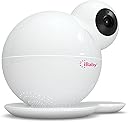
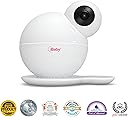
The iBaby Monitor M6S is a state-of-the-art smart baby monitor that offers 1080p HD video quality, dual-band Wi-Fi connectivity, and advanced features like 360° pan and tilt, night vision, and instant alerts. Designed for modern parents, it ensures secure monitoring and allows multiple users to stay connected with your baby's safety.
| ASIN | B01DQID38I |
| Alert Type | Audio and Motion |
| Antenna Location | Baby Monitoring |
| Are Batteries Required | No |
| Best Sellers Rank | #49,921 in Baby ( See Top 100 in Baby ) #137 in Smart Baby Monitors |
| Brand | iBaby |
| Color | White |
| Compatible Devices | Smartphone |
| Connectivity Protocol | Wi-Fi |
| Connectivity Technology | Wireless |
| Control Method | App |
| Controller Type | Android, Vera, ios |
| Customer Reviews | 3.9 out of 5 stars 865 Reviews |
| Effective Video Resolution | 1080 Pixels |
| Field Of View | 360 Degrees |
| Global Trade Identification Number | 00860321000154 |
| Indoor Outdoor Usage | Outdoor |
| Indoor/Outdoor Usage | Outdoor |
| Item Dimensions | 7 x 7 x 7 inches |
| Item Weight | 16 ounces |
| Light Source | LED |
| Manufacturer | iBaby |
| Model Name | M6S |
| Model Number | M6S |
| Mount Type | Wall Mount |
| Night Vision | Night Color |
| Number of Channels | 2 |
| Number of Items | 1 |
| Other Special Features of the Product | Night Vision, Wireless |
| Power Source | Electric cord |
| Recommended Uses For Product | Baby Monitoring |
| Room Type | Nursery |
| Special Feature | Night Vision, Wireless |
| UPC | 860321000154 |
| Unit Count | 1.0 Count |
| Video Capture Format | MOV |
| Video Capture Resolution | 1080p |
| Waterproof Rating | IP65 |
| Wattage | 5 watts |
| Wireless Technology | Wi-Fi |
W**Y
Your internet speed needs to be fast w/ an excellent router.
This video monitoring camera is excellent, but... certain things need to be met in order for it to be excellent. After reviewing countless reviews about this product, two factors came into mind as to why this may receive less than sub-optimal reviews/ratings. One: internet speed needs to be fast (please refer to below for more details). Two: The app freezing may have to do more with your mobile device's ability to process things from a hardware/app perspective (i.e. if you are running this on an older mobile device w/ less than sub par hardware and an obsolete operating system, be it android or ios, and without the latest updates, you will be having issues) OR your internet connection again is not great and there's a lot of distance/barriers between your mobile device and the wireless router. With the forewarning mentioned above. Let's get down as to why this monitoring system is excellent: -Installation was a breeze. Follow what the manual has to say which has about only 2 steps for you to do. The "syncing" of the baby monitor with phone and app does it pretty much for you. It's almost a "plug and play" idea -360 degree rotation and 110 degree tilt, check that off as amazing. Even better is that it has this semi "fish eye" lens, meaning it can see more to the sides compared to a normal lens. For me this is a big plus because I can see more. -Temp/Humidity/air quality sensor is a bonus -alerts and other app abilities are intuitive as if whoever designed this baby monitor actually hired a UX/UI (user experience/user interface) designer and said "how do we make this more user friendly"? <--my wife is a ux/ui designer and if it gets her nod, i'll take her word over some joe schmoe like me. -The fact this camera has night vision is pretty cool and can auto switch from a room with light to without makes it that much better when you are panning left/right, zooming in/out of certain areas (please refer to videos 1 and 2) -preprogrammed lullabies, white noise background, music, short stories all part of the app! -The ability to take photos or record videos to be saved and sent to others is also a great idea. -Zoom in/out with this video monitor is sweet. -I love the fact that there is not an extra piece of hardware, to watch the baby, everything goes through your phone or whatever mobile device you may have, -Ability to have 2 way talk is amazing! Since our baby is a newborn the two way talk does not really have its usability at the moment BUT it has let our dog in check. I sometimes will set this aby monitor in our dining room/kitchen/sun room area where our mischievous German Shorthair Pointer (GSP) sometimes raids the kitchen and trash cans for food. With 2 way talk, I can talk to him, and he will have this look of "I can't believe daddy caught me!". Yes I've caught him red handed a couple times already trying to eat quiche off our island in the kitchen. *I am fortunate enough that in my neighborhood we have fiber optic cable laid down. I am currently with Frontier Communication and pay about $25/mo for fiber optic 25mbps speeds. This means, that I am not "sharing" my internet connection and being throttled down by other houses because all that speed is in my house. If I am in the same room and close to my router, 1080p streaming is no problem at all. If I am at a longer distance (in the master bedroom on the opposite end of the house with several wall barriers), I will usually throttle down the video quality to 640 or 720p, which I am fully content with its video quality. If I were to ever upgrade to the 50mbps or 100mbps, fiber optic speeds, this would handle 1080p without any bumps or bruises. By the way while recording video 1 for this review, I had "House of Cards" playing @ ultra hd4k playing on the same band as the iBaby monitor, and me playing some video game online w/ my laptop. Video 2 takes place on the other side of the house doing a tilt and 360 view @ 1080p, video compression though is not the greatest when saved as a video file (what I am uploading on amazon review). But viewing it on the phone was a lot clearer. ALSO do take note, my muffled or less than stellar sound of my voice is being picked up from the baby monitor and not the phone itself. As I was at a great distance and could pick up my voice at normal volume (video 2 my voice is more elevated) I think speaks volumes to its quality to pick noise at greater distance. Lastly, this system can have multiple cameras. I am already going to buy a 2nd baby monitor so I can switch to the nursery room upstairs and have one dedicated for my first floor. I would definitely buy this again at this price point. But again, for future buyers of this iBaby M6S, make sure the 2 things mentioned in the beginning are gladly optimized.
J**A
I would recommend this baby monitor to everyone.
I had to write a review because I’m literally shocked by the bad reviews on here. I’ve had 2 different iBaby monitors now (the first one I bought during prime day but it didn’t not have pan mode, so I bought this version after using our other for about 8 months). I have had these in 4 different houses, 4 different WiFi carriers, 4 different routers, even seen it on 4 different phones- I’ve never had an issue.l and neither has anyone in my family that I have allowed access to use it. Things to keep in mind: this is an app. On your phone. Yes it’s going to drain your battery (although I’ve never had it drain super fast. It drains it as much as I would imagine playing a game on your phone would). And yes there are times when it’s going to freeze. Just like any other app on your phone. You know what you can do? Reset the app. Anytime I’ve reset the app, it works fine then. I’ve noticed if I keep the app up running in the background but don’t actually use it for several hours, the next time I go to use it- I usually have to just close out and pull it back up again and it’s fine. I love the fact that if I’m out at the grocery store, and my husband is getting our little one in bed, I can check on her sleeping from the store (or anywhere else). My husband was deployed, and he was able to check in on our daughter when he wanted from a totally different country! However as the main person on the account, I had the ability to restrict any or all visitors any time I wanted. So when she was young and breast feeding- I’d turn it on sleep mode so no one else could see us. As far as Customer Service, I had to call when I was setting up the first camera because I could not get it to connect to the WiFi. They were wonderful and got it set up in a matter of minutes. The picture quality to me is great. Someone mentioned the zoom is just a zoom in on the picture and is grainy. If you give it a second, it does repixelate and is fine. When I was looking for a pan mode, I bought 3 different monitors. This one, the JBPower, and the Infant Optix. This one lagged less than the one 2. The temperature reading seems pretty accurate when compared with my thermostat for the house. The sound option works with the volume of your phone so if your phone is turned way down, it’s going to be hard to hear anything. I love that I can turn the sound on and then lock my phone, so I don’t have to keep the picture up. Or I can use other apps on my phone while still being able to hear her. I would recommend this monitor to just about everyone. I love both our iBaby monitors but this one is my favorite because of the pan option. I’m actually probably going to be buying a second for our playroom. You can set up multiple cameras and switch between them on the app!
L**N
Please read before purchasing!
Edit: 6/9/17- After about 4 days of owning the camera, I began having the network connection issues everybody else is mentioning. Perfect wifi, but app reads "poor"; light on back of camera turned red instead of green. Just the neverending, spinning, "loading" circle. Tried to reset multiple times for a few DAYS, contacting customer service again, etc. Ended up giving up on this device that I wanted so badly to work out. Sending it back and ordering an Amcrest 2k hd camera for even less $$. Original review: I'd like to start off by admitting that I'm an Amazon addict and I have never once taken the time to write a review. This product deserves one, and you deserve to know what you're getting yourself into. Got the camera within my Prime, 2 day shipping period. I was looking forward to setting it up Saturday so that we had time to mess with the alert settings for a few days before work/when it really mattered. Literally spent about 4 hours Saturday trying to get it to work. Followed the included instruction booklet first (later learned that these are geared strictly towards iPhones and we have android/galaxy). Noticed fairly quickly that the instructional video that pops up after the error message showed a different way of setting it up. Tried that. Multiple times. No luck. Tried starting the installation process throughout various times of resetting the camera (solid lights, blinking, before/after chime sound, etc). Tried to call customer service but OF COURSE it was a holiday weekend and it'd be Tuesday before anyone was back in the office. Gave up out of frustration. The next day I hopped on Google. Trouble shooted a few things people suggested for other models. Uninstalling/reinstalling app, renaming wifi with no dashes/special characters. Resetting router. (Mind you, we have the fastest internet connection you can buy, so we knew it wasn't a connection problem). Kept getting the error message of "Failed to find a registered device". Spoke with customer service Tuesday. They suggested that it was an issue with the camera and they'd be more than willing to send me a replacement. I just had to go online and start a ticket/fill out complaint, etc. Sigh. Yes, because we all have time to do this with a collicky 4 month old hanging from our neck, not to mention, now I have to ship this unit back, wait for another and hope THAT one works. (All while having my credit card number on file so they can charge me if they don't receive the other unit. I understand WHY, but I can't say I feel comfortable with my card number in their database. Site and customer service seems pretty... scattered, for lack of better term). Back to the call- I was fairly surprised they didn't have any quick troubleshooting suggestions to try. Just went straight to replacement. Tuesday night came and my parents stopped by. Out of curiosity, I hijacked one of their iphones and plugged it into the camera. Started the app. Began installing. I was shocked to see that stupid pink bar fly across the screen and voila- camera feed. Instantly furious. Camera worked perfectly fine. Tried to log back into the app from my phone since the light on the back of the camera was now solid green (connected). Feed wouldn't load. I instantly began to hate this company that obviously wasn't taking their android customers seriously enough. It was definitely an issue with the app/set up. I planned on giving customer service a serious wrath, and I'm not that type of person. Later that night, however, I closed and reopened the app and suddenly- it worked. On a side note, we put it on our 2.4 connection since we figured it may have an easier time connecting... and now we're afraid to reset the camera and put it on the 5 (where it'd work even better), since there's a good chance it won't correctly set up without an iPhone and we'd lose what we have. • COMPLAINTS (aside from what's mentioned above): Quite a bit of static while listening at times. About a 5 second delay once you hit the "speak" button. Camera doesn't angle downward (yet I could see out a sky light if I had one!), which makes where you put it very difficult for some room set ups. I wanted to put it on the top of the back of the crib but it just didn't angle the way I wanted. Alerts. The midday sunlight making the lighting in the room change (yes, just clouds moving) was enough to set off our motion detectors. Multiple times. Literally have to turn this function off during the day or make sure the camera is angled directly into crib. Also, the alerts on my significant other's phone does not match mine. Same sensitivity settings, but only one phone going off. ALSO: panning/moving the camera counts towards a motion alert. A motion alert will pop up on your own phone as you move it, as well as on anybody else's phone that is logged on with alerts on. As far as reliability, I'm hesitant to say it'd be "decent". I have concerns with my boyfriend being a heavy sleeper and only one alert/sporadic alerts at times, doing the job. HOWEVER, I paid about $130 for a camera that generally sells for closer to $200. The camera is very, very clear. And we haven't had any serious concerns so far. Just a lot of tweaking settings. We have set up additional viewing accounts for family, which is a big hit. You can control what each specific viewer can do, i.e. moving camera, taking pictures, playing music, etc. (haven't seen the same controls on similar cameras). You should probably just weigh the pros and cons/ what youre using this for most/ what type of phone you have into consideration. I have an absolute love/hate relationship with this camera.
Q**Y
Works for Much More than a Baby Monitor - Peace of Mind in All Directions
I ordered this monitor several months ago, so we've had it for a bit. The first thing you notice is the packaging. The packaging is fantastic. It's very secure and it arrives in a very stylish, trendy box that's cube shaped and sturdy. This is iPhone level packaging and presentation. Compared to some of the other monitors we looked at and tried, I was very impressed. In fact, I saved the box in case we needed to store it and so it would have a safe place when we moved. We had no trouble with set up at all. It latched right onto our wifi with no difficulty. The 1080 video quality does not come as the default. You'll need to adjust the settings. After that it is very clear. I love the fact that we can use it with our phone. That's why we got it in the first place. Carrying around an extra device seemed like a tedious concept when we already had the phones with us. Plus, I can tune in and use the mic and speaker to talk to my husband when I'm not home and vice versa when one of us is out and the other is home with the baby. We've done that several times. We did have trouble once while he was out of state because of poor signal quality on the phone's end, but other than that it's been wonderful. The base that you see under the monitor has little teeth to hold it, but a magnet the keeps it secure also. We don't use the music much, but it's a nice feature and doesn't sound obnoxious like some baby gear does. We can also use our own music if we need to and I expect that will be useful in the future as our little guy gets older. An unexpected benefit also came from the camera when we were gone for two weeks on vacation. I set the camera up in the main room of the house and it allowed me to keep an eye on everything. When I felt anxious or homesick, I'd just open the app, look around the house through the monitor, and know that all was safe and well. The night vision made it work no matter what time of day I felt nervous. I'm definitely glad this is the monitor we settled on when we were trying to choose. UPDATE: I am really appreciating the air quality monitor that lets me see the temperature and VOC that let's me know how the air quality is doing. The night vision is awesome. It works really well and very clearly. Keep in mind when using the unit that it won't be as effective if you have a bad internet connection (or lack of one). If you want to check in on baby and grandmama while you're at work and the internet is down, you won't be able to. Likewise, a poor connection is going to give you spotty, if any, coverage.
K**E
There is no perfect baby monitor
This (iBaby M6S) is our second iBaby monitor, and is a vast improvement over the M6T in terms of connectivity, picture quality, and sound. Though I haven't tried the M7, I imagine further improvements to the above would be marginal and, in my opinion, not worth a significantly higher asking price. I've scouted the reviews for a lot of big name baby monitors, and originally picked iBaby because it broadcasts to my mobile phone no matter where I am in the world, and seemed to have the least complaints and negative reviews. This model and its predecessors still get their share of negative reviews, however, and they tend to be in one of three categories: 1. It sucks my mobile phone's battery 2. It doesn't connect/drops connection 3. Setup is hard To that I would respond: 1. Duh. This monitor streams HD video over the internet, with active alert monitoring. Of course it sucks your battery, and so does YouTube at HD resolution. However, my iPhone 6S can last well over the length of dinner and a movie with the iBaby video and sound both broadcasting, and if that's not enough, I plug in my phone. 2. See #1. iBaby doesn't seem to have a very effective automatic video resolution degradation adjustment, and this does result in bad connectivity when the home wifi signal flutters. I imagine this is particularly prevalent in the US, where most people's real-life internet performance is pretty bad (Mr. President, regulate the ISPs or break up their monopolies). iBaby should recover faster when this happens, without requiring me to kill the app. However, my internet consistently clocks in around 400 MBpS and I almost never have a problem. 3. Read the manual? Setup (and general usage) isn't the most intuitive ever, but it isn't far off. A quick browse of the "quick setup guide" and you should be set. The only problem I experienced (with both my iBaby monitors) is that for some reason, it has to be set up in the same room, accessing the same wifi router, that it will be permanently stationed. Overall I'm very happy with the M6S and would recommend it to anybody with a strong internet connection and without unrealistic expectations on mobile phone battery life. It's proven to be reliable, it's easy to use, and it keeps my wife and I connected to our newborn, even when we travel. It has great-looking night vision. It's also cute-looking and the temperature and humidity sensors, while of questionable accuracy, at least give me a useful relative gauge of how warm and humid the room is. A few additional minor niggles: 1. It can't be connected by LAN line. This would certainly aid connectivity stability. 2. It doesn't tilt down far enough to mount on a high shelf overlooking the crib. Apparently the iBaby 7 has more tilt. 3. The least sensitive alert settings are still too sensitive. 4. The night vision transition makes an audible clicking sound. And, when the room is roughly at the borderline level of brightness between day mode and night mode, it can quickly flip in and out of night vision and sounds like an angry insect. Passing clouds can also cause these needless, distracting clicks.
J**D
High tech baby monitor that exceeds nearly all of your baby monitoring needs.
I did a ton of research on baby monitors over the last few months. I had a couple of key items that were important: Great video, two way audio and as much coverage via pan and scan functionality. The iBaby M6S hit all of those and more. So far it's spectacular. Pros: The video quality is off the charts in both day and night or variations in light quality. Two way audio is also quite good. One nice surprise was the amount of sounds you can play through the monitor. The white noise choices are great, and the types of ambient sounds are both nice in quality and variety. Also nice are the temperature, humidity and air quality sensors. This camera replaces several other gadgets that are no where near necessary, but interesting to have nonetheless. The camera has a great field of view, and with the ability to scan and zoom via the app you can cover the entire room. Setup was complete in less than 10 minutes. Cons: The app is somewhat sluggish, but definitely works. Connecting from a distant site (from my office around 15 miles from home) results in a moderate delay in camera view. But this is super nit picky as I'm watching what's going on in my house from 15 miles away in near real time - 1st world problems. The other complaint is that the system alerts that you can configure via the app are so sensitive that they're worthless. The only alert I kept was the temperature alert. Sound and motion went off even at the least sensitive setting at even the slightest blip. That was kind of frustrating. Overall this is a superb camera with excellent video quality and lots of bells and whistles.
S**R
Mostly Satisfactory
Pros: Image is good & it's nice to be able to move where the camera is pointing. Connects to Wifi so can use anywhere. Talk back feature. Built in sound machine. Temperature & air quality alerts Cons: The app is not kept up to date (as in never) and is super glitchy. Every time I use it and exit, it freezes and I have to restart the application there's a large sound library, but after the end of each sound there is a moment of silence while it starts over, which is enough disruption to wake our baby every time Biggest issue is that you can't listen to the baby & play sounds at the same time. That's why I chose this monitor because it had a built in sound machine. Major major fail. There are motion & sound alerts, which I thought might make up for the above issue, but they're glitchy as well. Overall consensus: It gets the job done, but for the features it's supposed to have pretty disappointed overall
K**E
Get a Wi-Fi extender and it works perfectly!
I was very nervous to buy this product due to some of the reviews I had read. This product had everything my husband and I wanted in a baby monitor so we gave it a chance and we are so glad we did. We thought, if it doesn't work we can always send it back. We set it up next to the router and the picture is great and its so easy to set up. You do not need the best internet to run this device. My husband and I have basic internet. Our MBPS is around 24 download speed and 3.4 upload speed. Go Google Wi-Fi speed test to see what you have. It worked fine next to the router, but when we moved it to the nursery it wouldn't work like what most people have experienced. The nursery is about 25 feet from the router through 2 walls so the signal strength is not as good. Here is the good news..It is a simple fix!!! We added a Netgear Wi-Fi extender that we had already had (cost should be somewhere around $30-$50). Now the device has a excellent signal with no buffering or black screens. It works perfectly! We are excited we went with iBaby! Don't trust the negative reviews regarding the Wi-Fi! Do yourself a favor and try it with an extender. If it doesn't work, take it back.
C**E
Super product!
This is a fantastic product. Easy to connect, and has great picture and sound quality. Haven’t tried all the musical and camera features yet. Please note, it is a delicate piece of technology. It needs to be handled gently.
Z**4
EXCELENTE
MUY BUENA CALIDAD DEL PRODUCTO ESTOY MUY CONFORME FUNCIONA MUY BIEN YA TENGO 3 MESES CON EL Y NO HA FALLADO
A**R
Love it!
I use this all the time. It arrived fast and intact with all the pieces. It is super easy to set up. I love the zoom, pan, tilt, temperature and humidity gage, air quality reading and listening features. I don’t use the music or speaking feature. It does go off of wifi which was a bummer at first because we didn’t have unlimited data but now we do so it’s all good. You can add another camera. The app is on your phone which is a pro and con because I have my phone with me all the time but it does use up my battery quickly. The only complaint is that it’s not very detailed image, especially in the dark. So when I want to see if baby’s eyes are open or not, I can’t quite tell. You can’t hang it or screw it into the wall so it has to be on a ledge/ book shelf...
A**A
Excelente monitor!
Producto de gran calidad con muchas funciones que lo hacen un monitor excelente!!!
J**E
Update - works great, reliable for the past 9 months (had this product for almost 2 years)
*update June 9, 2019 - Upgraded rating to 4 starts. The issues that were present on Android devices seemed to have gone away after an update last year. Since then, the monitor has been reliable -- we use it everyday (via both Android devices and iOS devices) to monitor our kids in their room. There is also now a Windows version of the app which is great, as I can now monitor my kids while working on my Windows PC. Overall, great support as the app is constantly updated to fix issues / bugs. *update July 25, 2018 - Rating downgraded to 1 star. After a year of near flawless performance, the Android version of this app started having issues on all my Android devices (S6, S8, Nexus 7 and Nexus 9). The monitor simply wouldn't connect to any Android device, and when it did, the app would crash. I know it is not a network issue as my iOS devices have no issues connecting. There are many reports of issues from all Android users in the Google play store. I cannot recommend this device anymore until the developers fix the Android app. Original review: I purchased this baby monitor to put into our nursery on the 2nd floor (in good range of our 802.11 AC WiFi router which is located on the 1st floor). I've been impressed with the quality (which is adjustable via the app) --- there are 4 quality settings (Excellent 512kbps; Good 256kpbs; Fair 128kbs; Poor 96kbs) .... the quality on Fair and above is actually pretty good, however, since we are in good range of the 5ghz band, I've left the setting on Excellent without any hicups. We have used both the Android and iOS apps, both work like a charm. Likes: - Ability to move the camera remotely - Device logs (by the hour) air quality (VOC), temperature (C/F), and Humidity --- data is viewable via the app in an easy to read chart format - Ability to listen into the room and talk to people / babies in the room (although it is creepy if you aren't expecting it) - App is pretty simple to use / setup .... the UI is somewhat intuitive, however, could be improved (i.e. the button to access the air quality / temperature / humidity is accessed by clicking on a barely visible circle that isn't really labelled) - Night vision works pretty good - Ability to invite guests to view the feed + the ability to restrict what they can / can't do (i.e. you can disable movement of the camera for guests) What could be improved: - Vertical (up/down) movement of the camera is limited --- we placed the camera at eye-level on a shelve, so don't have an issue, however, for those that need to place the camera closer to the crib, you will need to play around with the base to get the camera at the right verticle viewing angle - I wish there was a way to access via an internet browser so I can monitor while working on my Windows / Apple laptops --- although, if this makes the device more secure, than I would opt for security over additional methods of accessing - storage is limited to the storage available on the device you are viewing from (although not a deal breaker, this is where Nest and other cloud based cameras have an edge) .... would be great if we could upload the videos (in the app) to dropbox / google drive Overall: 4/5 --- I would recomend this device to anyone, and would purchase again without hesitation :)
Trustpilot
3 weeks ago
1 week ago