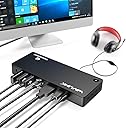
⚡ Dock Your Way to Success!
The WAVLINK Thunderbolt 3 Docking Station is a powerhouse for Mac and Windows laptops, featuring 12 ports including dual Thunderbolt 3, DisplayPort for 4K displays, USB 3.0, and an SD card reader. With 85W charging capability and lightning-fast data transfer speeds, it’s designed to elevate your productivity and streamline your workspace.


| ASIN | B07N6552YK |
| Best Sellers Rank | #348,278 in Computers & Accessories ( See Top 100 in Computers & Accessories ) #5,790 in Laptop Docking Stations |
| Brand | WAVLINK |
| Color | Thunderbolt 3 |
| Compatible Devices | MacBook Pro |
| Customer Reviews | 3.9 out of 5 stars 124 Reviews |
| Hardware Interface | USB |
| Item Weight | 900 g |
| Manufacturer | WAVLINK |
| Mfr Part Number | AMZWL-UTD01-US |
| Model Number | AMZWL-UTD01-US |
| Number of Items | 1 |
| Number of Packs | 1 |
| Number of Ports | 11 |
| Total USB Ports | 6 |
| Total Usb Ports | 6 |
| Unit Count | 1 Count |
| Warranty Description | 18 Month |
| Wattage | 180 watts |
I**1
Awesome dock for new 2019 16" MacBook Pro
I am using a new 2019 16” Macbook Pro (and loving it). I don’t own any 4K monitors. I am using two older DELL U2412M monitors. These are HD only and have inputs for DVI-D, VGA and DP. They do NOT have HDMI inputs, so for me that eliminates a lot of docks out there because almost all of them use HDMI as their primary monitor output. This WAVLINK dock has DP as its main video output (yay!). It also has an additional Thunderbolt 3 output port that I plugged a USB-C-to-DP adapter into for my second monitor. Both monitors can operate in extended mode without mirroring. So with the Macbook built in display I have 3 screens all showing different content. Now I have read a lot of reviews claiming that you can’t run 2 external monitors in extended mode on a Macbook unless you drive each of them from a separate Thunderbolt 3 port on the Macbook, and that a dock cannot do it because of limitations in the macOS software. And I found that to be true when using a cheaper USB-C dock. But you get what you pay for. I have already returned a couple of USB-C docks that weren’t up to the task. I also read that you need to use a Thunderbolt 3 dock with a Macbook if you expect it to play nice, and that apparently is true. So if you are going to spend $2000-$3000 for a Macbook, don’t get cheap with the dock, spend the $200 for this dock, you will be happy with it. The WAVLINK dock also has its own 180W power supply brick, so it is able to charge my Macbook. Everything on this dock just works. I have only had it a week and so far no problems. If it starts to act up I will update this review. PROS: 180 watt power brick so it can charge Macbook and power external peripherals Separate 28” (plenty long enough) Thunderbolt 3 cable to connect dock to Macbook Able to drive at least 2 monitors in extended mode Everything works!! CONS: Only 1 USB-3 port on the front (wish it had more, but no big deal). It does have 3 on the rear but the way I have my dock positioned on my desk it makes the rear a little hard to get to, but still no big deal) In Summary: I would give this dock 6 stars if I could.
K**G
Pretty impressive though laptop use requires compromises
This kind of Thunderbolt dock is a great idea and a no brainer for use with a desktop computer or if you happen to use your laptop at a desk or on a table. It provides high speed connection to Thunderbolt compatible SSD as well as great USB 3 access to disks, SD cards and so on. Its weakness is when used with a laptop on one's lap. It would be really nice to have a laptop computer connected to charging and auxiliary data drives. This device works, but there are compromises. To start with, there are active 2m Thunderbolt cables sold, but they are unreliable. Disk drives will randomly unmount and the associated error messages will pop up. The disk is usually fine and can just be reconnected and remounted, but at least one drive has gone bad after such a disconnect. The solution seems to be using a 0.7m cable which is awkward, but acceptable. The adapter has to be right next to my seat on my sofa, and one has to be careful with the cable. Disks still go offline now and then, but every few weeks rather than several times a day. The device runs surprisingly hot. This means it has to be properly ventilated. It can't be stuffed into a drawer out of the way. This may be a function of its need to power a modern laptop. The device will shut off, or at least disconnect, if it overheats, so this puts more constraints and where it can be placed. I'd give this five stars for desktop use, but not everyone uses a laptop at a desk. Still, it is an amazing technology, and with a bit of planning and tinkering with the device and with the furniture, it does provide a magical link for both power and data.
H**N
Fantastic dock and fantastic service
I've tried several docks and this one works very well for me. It's quiet, simple and at it's peak I've run two external monitors off my 2020 Macbook Pro. SERVICE UPDATE: After about 9 months I started having issues with connectivity. My MBP would repeated connect and disconnect from the hub, like every second or two constantly. I emailed support and within a day someone emailed me back. After discussing the problem a bit they arranged a replacement which I received only 2 days after mailing my unit back. Hopefully this second unit last longer but the service and the initial product are excellent.
K**H
Good, reasonably priced dock if you need Thunderbolt 3
I have a M1 Macbook Pro, so Thunderbolt 3 is enough for my needs. It has plenty of power to charge the Macbook, and enough USB ports for my needs, although one more USB-C port might be nice. It only has DisplayPort, so you'll need an adapter for HDMI. One thing is that the power brick for this dock is HUGE and heavy, truly a brick. It's not a big deal for me, as it stays on my desk. Haven't tried the video out yet, so can't speak to that. Overall, I'd say if you're okay with a little larger dock, if Thunderbolt 3 is enough, and you don't mind a big power brick, then this could be a good, cost-effective choice. I'm happy thus far.
C**N
Very expensive garbage
I bought this for my work 2017 15 inch Touch Bar MacBook Pro (4 USB C ports). Have had video issues from the start. The DisplayPort adapter Never worked. Not a big deal as I have a USB C to HTML cable and just used that. That worked for a little over a year and then only worked intermittently. The Ethernet port also work for less than a year before it quit. Today both Display port and USB C to HDMI completely stopped working. So less then two years all Video and Networking are gone. I am now plugging in my USB-C to HDMI cable directly into one of the Mac Ports and I am only using this as a power adapter with a USB A KVM switch. You could pick that type of adapter for less than $20 and save yourself a ton of hassle and money.
D**R
Solid looking product, but Ethernet port choking my internet speed by 35%-45% - Updated.
I returned an Aukey USB-C hub that stopped working shortly after purchase and decided to spring for this WAVLINK docking station based on reviews, despite its high price. I like that it has its own power supply and thus only uses one of the two USB-C ports on my 2020 MacBook Pro M1. Everything seems to be working fine, including the DisplayPort to my big monitor. However, I noticed that my internet speed is now 1/3 of my usual. When connected directly using an Apple Ethernet to USB-C adapter, I get about 900 Mbps. Using the Ethernet connection on this docking station/hub... it's down to 280-300 Mbps. Still fast, but not acceptable. I have reached out to support using a "contact@wavlink.com" email, but no automated receipt, nothing signifying they have read it. Will update this review as this progresses, but so far... off to a bad start. UPDATE 1: They did respond (good), but with no real idea of what may be the case (bad). Will update as this evolves. UPDATE 2: They asked me to run lots of tests, connecting to another MacBook (same issues), connecting in different ways, and my conclusion is that the hub IS throttling the Ethernet speed. However, at this point Wavlink's "support" has stopped answering my emails. so I don't know if I have a one-off defective product, or if this is the way they built it. They will not stand by their products, I will not buy or recommend any Wavlink products. UPDATE 3: To their credit, they DID answer me. But they have NO idea what could be killing my Ethernet speed. I even bought another unit to see if it could be a defective unit (and they offered to let me return the old one for credit once received), and it performs the same. For some reason unbeknownst to them or me, using the Ethernet plug in the unit throttles speed significantly.
A**R
Worked well for 3 years, then the display port stopped working
Low profile docking station. Would be helpful to have more USBc ports. It has one powered port for my laptop and 1 other, but that's it. The dock worked fine for 3 years until the display port stopped working last week. I bought a usbc to display port cable and can connect to my monitor that way. For $200 I thought it would last longer.
J**.
Almost as good as the CalDigit TS3+, but way less expensive
I use a CalDigit TS3+ at work with my macbook to connect both of my 4k external displays and other peripherals with a single cable and wanted a similar setup for my home office. The ports on this very closely match what the TS3+ offers, minus one USB-A port, the 10Gbps USB-C 3.1 Gen 2 port, and the optical audio output. I have no devices that support 10Gbps USB 3.1 so I don't care about that one too much, but it would have been nice to get at least one more USB port in general on this thing. It is capable of driving two 4K displays at 60Hz with no issues. The 85W power delivery from the dock is enough to replace the need for the macbook's own charger on the 13" and 15" models. The 16" uses a 95W charger, but this dock will still charge those models and keep them powered sufficiently under all but the most extreme use scenarios. Aesthetically it can't hold a candle to the TS3+ because the case is plastic and the thunderbolt port for the laptop is located on the front, which pretty much ruins all attempts at neat cable management using an arm mounted tray for your laptop. There are also some pretty gauche logos printed on the top of this that scream THUNDERBOLT at you. I paid $145 for this though, and the TS3+ as I write this is on sale for $209 and was over $300 when I bought it initially, so I can easily deal with tucking this ugly device under something else to hide it.
B**N
Finally. A dock that is consistently reliable.
Playing with many docks for my MacBookPro2019, this one actually consistently detects connection and doesn't randomly reset. Totally worth it.
M**K
Works well with iPad Pro 2021 (m1)
Update November 2023. This dock is used daily with a Mac Studio Max and 34" ultra wide display. No issues with it, it's reliable and just woks. Highly recommended (I also still have the TS3plus and consider these equals in every way, except this being plastic (easy to secure under a desk for those of us who are fastidious about cable management. I have a CalDigit TS3+ connected to my Mac and also a CalDigit Pro Dock connected to my iPad Pro 2021 (I previously used this dock with my 2020 iPad Pro as the dock supports both 10Gb USB C and also 40Gb Thunderbolt 3. ) However I wanted to connect to a spare 10Gbe Thunderbolt 3 adapter I had when docking my iPad. And the Cal Digit Pro Dock doesn’t support 40Gb pass through for daisy chaining. The Wavlink was on special on Amazon for £100 and I thought I’d see if I could use the 10Gbe adapter. The answer is that it works perfectly with the iPad Pro M1. The M1s seem to struggle with full 40Gb speeds but I am getting a solid 500-800 Megabytes per second transferring data from a 10Gbe NAS and my Mac (also 10Gbe). Connected to the Wavlink Dock is a BenQ PD3200U 32” 4K display via Display Port. Also an OWC 10Gbe Thunderbolt 3 connector via TB3 out And Edifier speakers (via the Dock’s Audio out) I also have aLogitech MX Master 3 via the Unifying USB Dongle (Connected to a USB Port) Sandisk Extreme SSD via USB 3 5Gb port Durgod Fusion Keyboard (Steam version) Keyboard via USB 3 Port In terms of presentation, the Wavlink comes in a well presented box with magnetic closure. You get a decent (if short Thunderbolt 3 cable). Compared to my Caldigit TB3 Docks which have a metal enclosure, the Wavlink’s black plastic seems a bit budget, but its half the price (Currently at £100) and for any Mac/iPad users with a Thunderbolt 3 port this really is a no brainier. It works brilliantly, I will report back in a few months and update but right now this is a solid buy at £100 if you have an M1 iPad or Mac with Thunderbolt 3 port
W**E
Very good, but LCD Dell monitor doesn’t work with it.
Generally good product. It doesn’t work with my 15-year-old Dell monitor, so I bought a separate thunderbolt-to-DVI cable to hook the monitor directly into my 2020 MacBook Pro. Then it worked, but that partially defeats having the station. So the monitor issue is a problem with the docking station. I contacted the company, two different people answered separately but their English wasn’t good, so I didn’t bother going on, as I couldn’t understand what they were asking for. It’s nice that the docking station has a power button. Everything else works fine. I’ve decided to keep it, as I can work around the monitor issue by plugging it into the computer directly.
A**R
Causing kernel panics in OS X with M1Max
This is a good thunderbolt 3 doc and it has a good assortment of ports. However, it feels very cheap and might not be durable. When it starts to heat up (and does it ever) the plastic frame starts to creek and make noises. So.. not sure about the longevity of this dock. Update: This TB3 docking station is causing kernel panics in OS X 12 and 12.1. It also seems to eject attached Thunderbolt drives randomly throughout the day. I'll be returning it.
J**R
Problem with dock or MacbookPro?
I like everything about this dock, except for the fact that periodically USB devices are unresponsive and sometimes my 2020 mbp crashes. Based on web-searches, this *appears* to be Apple's problem, but who knows. Very unfortunate.
Trustpilot
1 month ago
2 weeks ago